Payment Requests
Pay contractors without a timesheet with payment requests.
Payment Requests give organisations a simple way to pay contractors in YunoJuno. Contractors submit the amount owed with an invoice which hirers review and approve.
Why we built it
Timesheets are a reliable way to capture time-based work, but contractors working as production crew, linguists, and influencers might not bill for their time or on a weekly frequency, and how they bill needs to reflect that.
Enterprise teams told us they wanted to manage these engagements in the same place as the rest of their contingent workforce. Payment Requests make that possible. Organizations can bring more types of contract work onto YunoJuno while keeping the same review, approval, and payment process their teams already rely on.
What's new
- Choose a billing method for each contract: When drafting a contract, hirers can choose whether the freelancer is paid through timesheets or payment requests. Timesheets remain the default, so existing workflows stay the same unless you choose otherwise.
- A simple submission form for contractors: Contractors select the relevant contract, enter the amount they are claiming, and submit. The contract search shows only contracts that use payment requests, and the currency is picked up from the contract automatically.
- Flexible billing periods: Each request includes a billing period start and end date, which default to the contract dates. Contractors can adjust them to show exactly when the work took place. This is useful when a short piece of work falls within a longer contract.
- Configurable evidence requirements: Organizations can decide what contractors need to provide with each request. Invoices, additional evidence such as screenshots or internal records, and notes can each be required independently, to match your approval and finance processes.
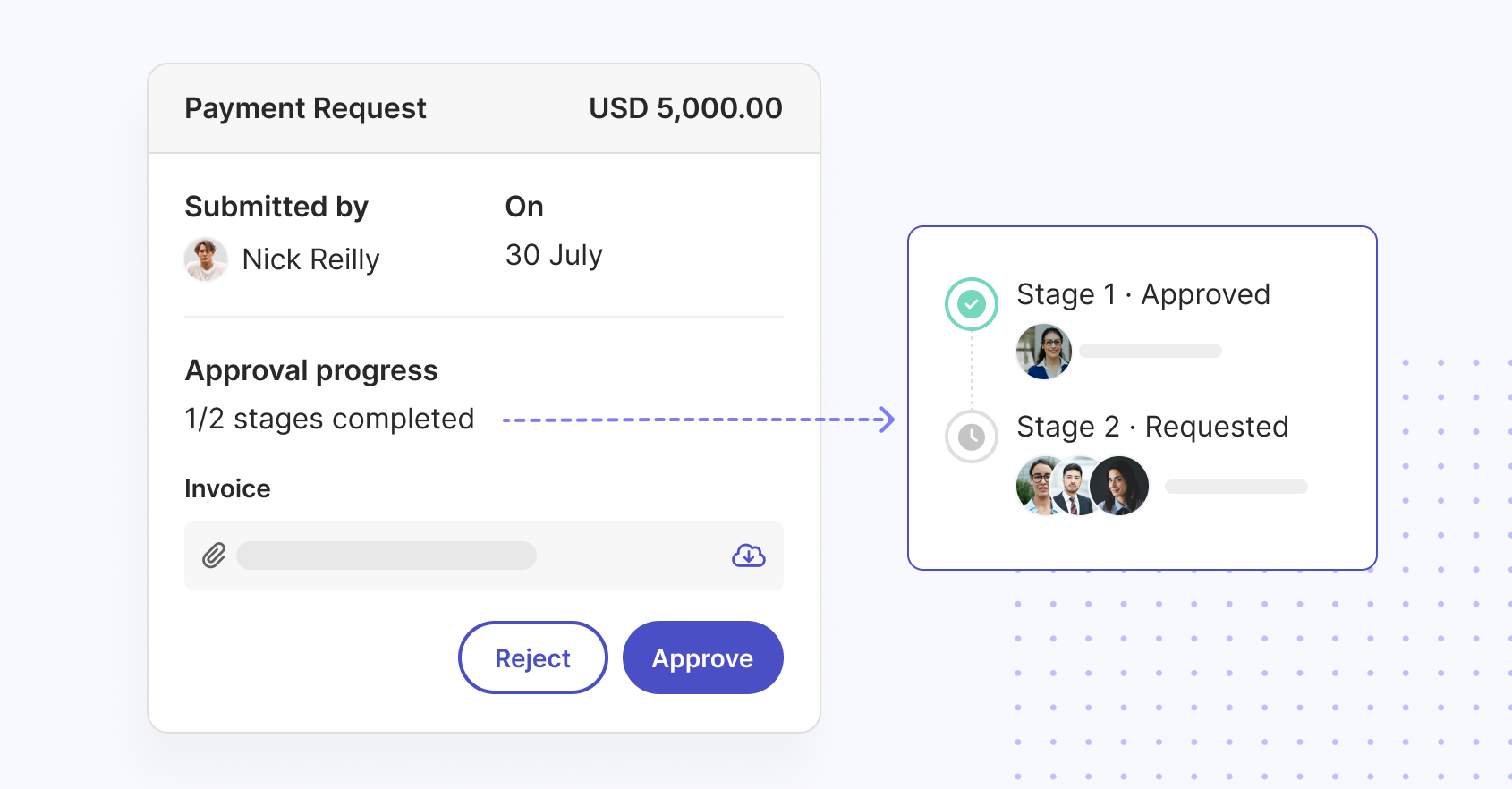
- Full context before approval: Each request shows the contractor’s note, the amount, the billing period, the purchase order pulled through from the contract, any uploaded files, and a final cost summary including applicable platform fees. Approvers know exactly what they are approving.
How it works
Payment Requests are enabled on a per-account basis. Once enabled for your organization, the process works as follows.
For hirers:
- When drafting a contract, go to the Billing section and choose payment requests as the way the freelancer will be paid.
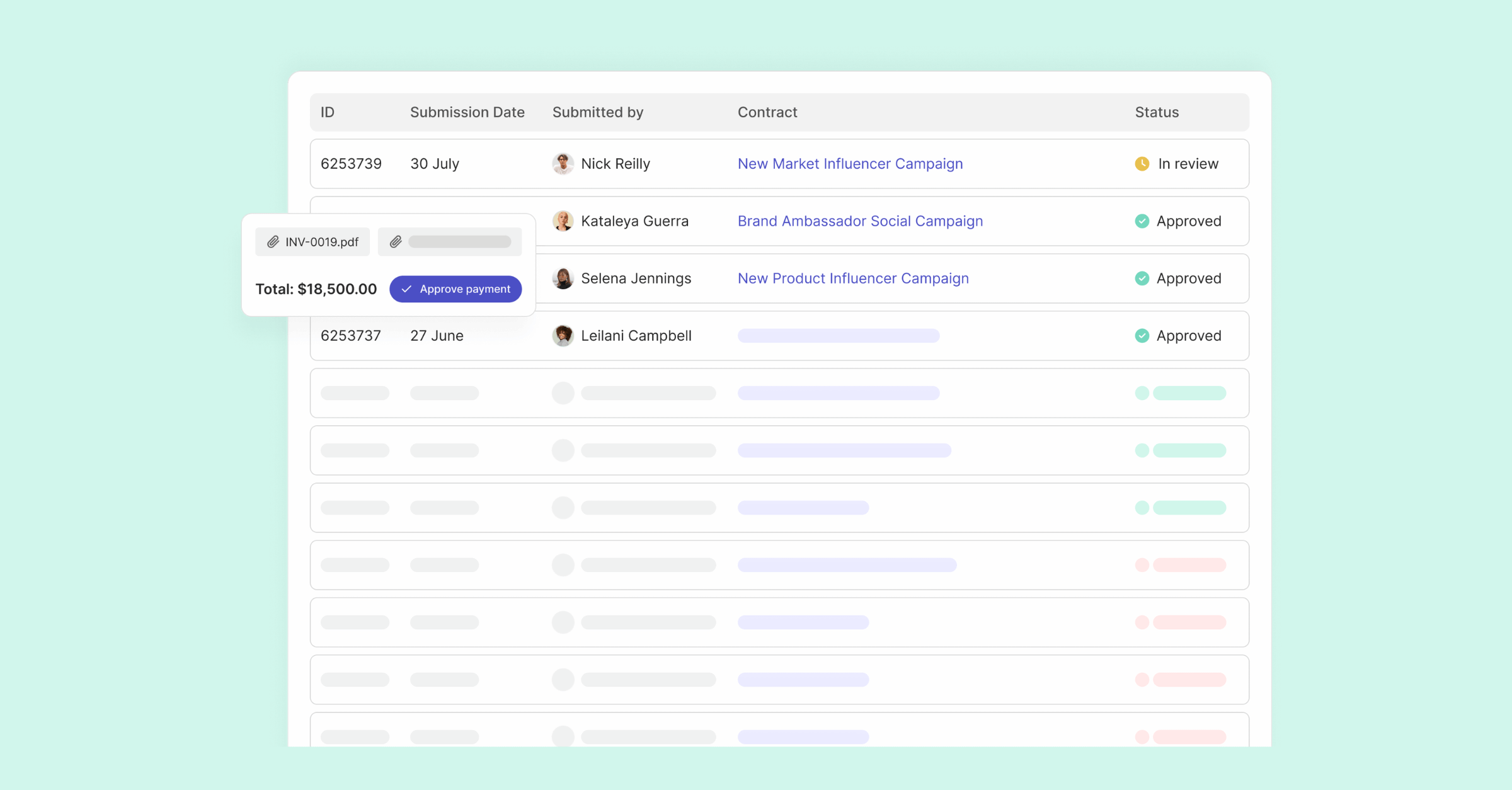
- When a contractor submits a request, it appears in Payment Requests, ready for your review.
- Review the amount, billing period, purchase order, supporting files, and cost summary.
- Approve the request, or reject it with a note explaining why. A note is required for every rejection, so the contractor understands what needs to change.
For contractors:
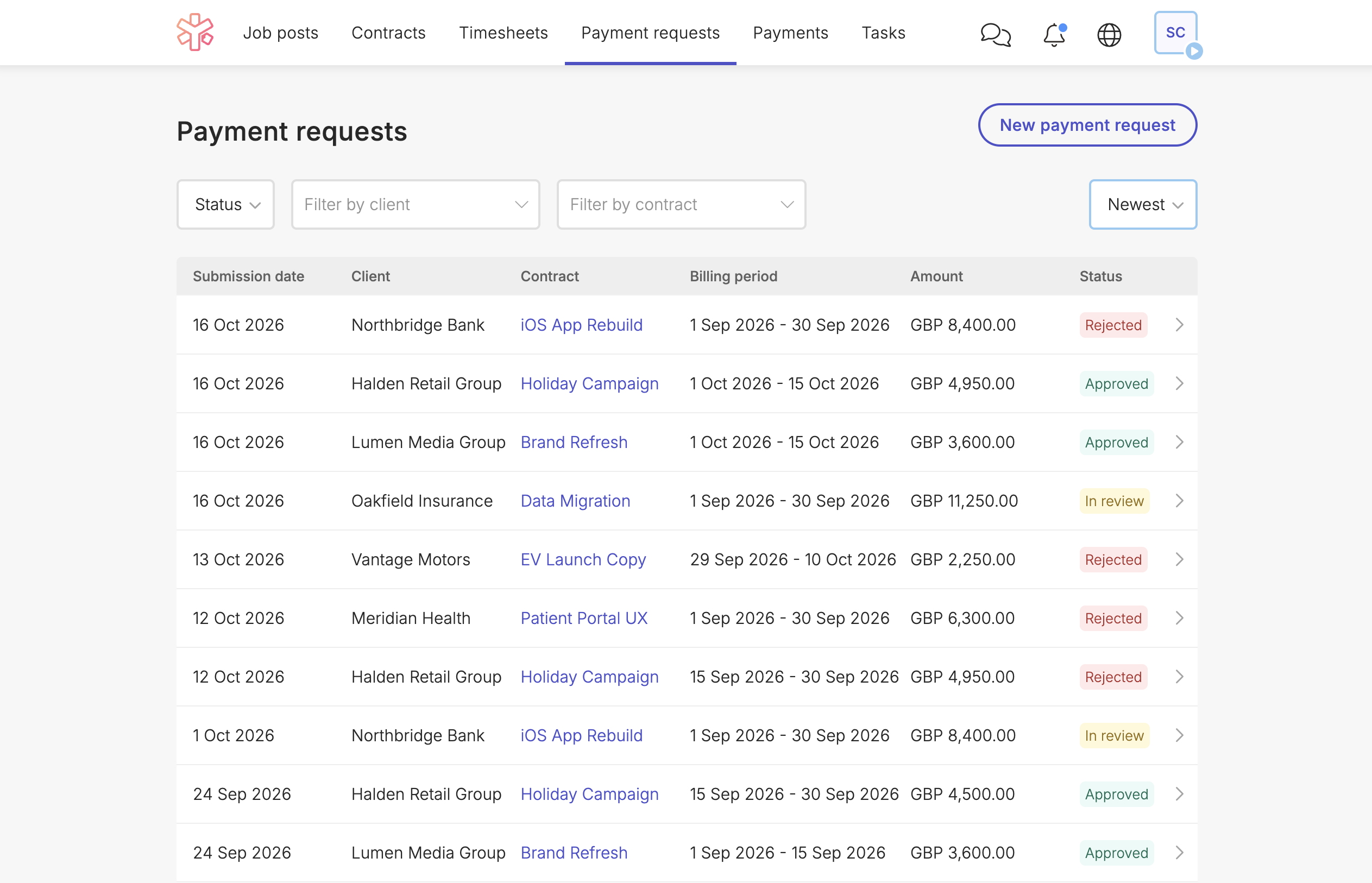
- Open Payment Requests and select New payment request.
- Choose the contract, enter the amount, and confirm the billing period.
- Upload your invoice, plus any additional evidence or notes your client requires, and submit.
- Your request moves to In review. You can return to it at any time to check its status, view your note and amount, or download your files.
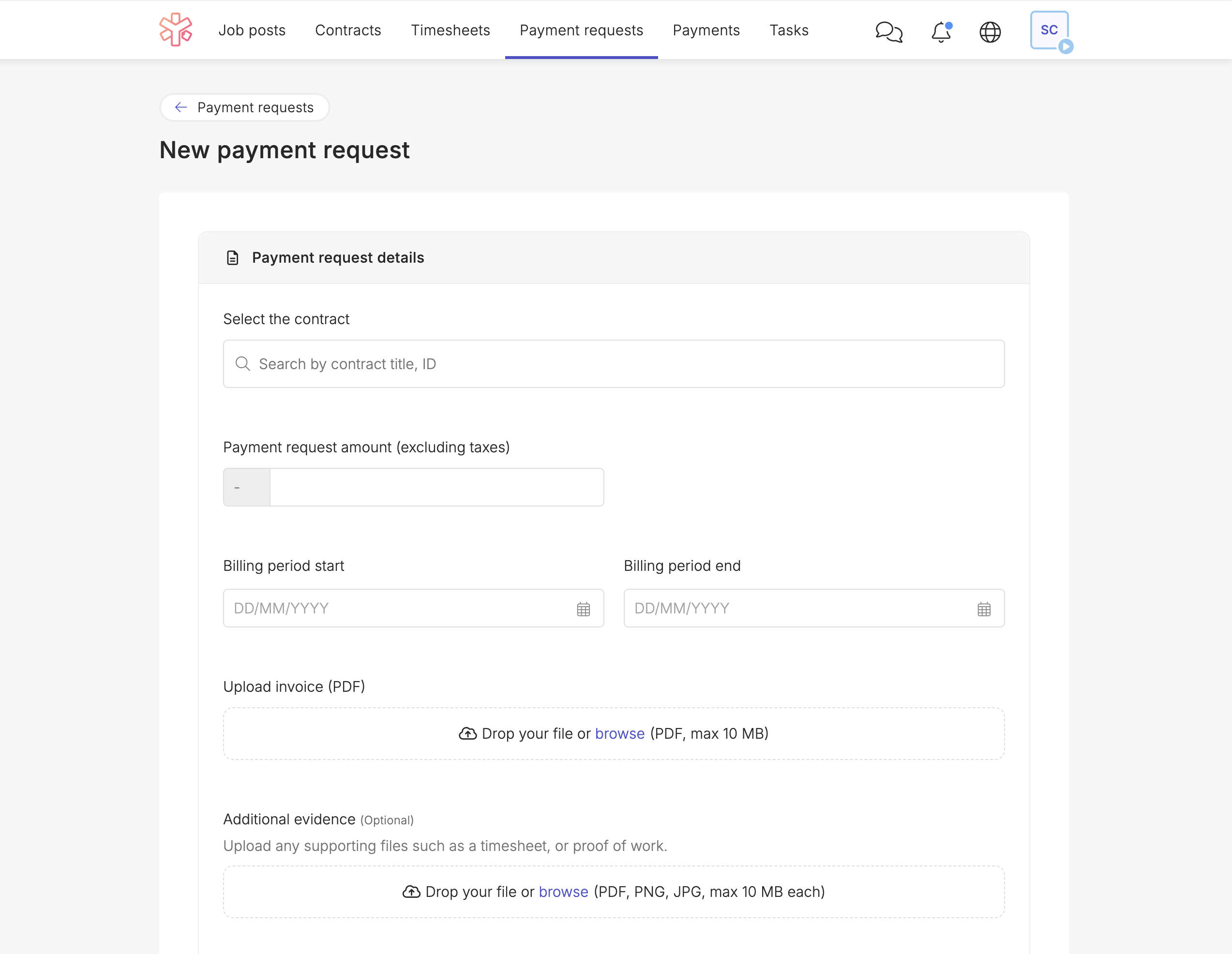
The Payment Requests tab only appears for contractors who have, or have previously had, a contract that uses payment requests. Freelancers who work across several contracts can have some billed through timesheets and others through payment requests.
Once a hirer approves a request, YunoJuno handles the rest: billing the client and paying the freelancer. If a request is rejected, the contractor can submit a new payment request with the updated details.
Benefits for both sides
For hirers and program managers, Payment Requests bring fixed-fee and deliverable-based engagements into the same platform as the rest of their contingent workforce. Contractor onboarding, contracts, approvals, and payments stay centralized, which gives teams greater visibility across every type of freelance work, not just time-based engagements. Required evidence and purchase order details make each approval a clear, informed decision.
For contractors, the experience is quick and familiar. A short form replaces the need to translate a deliverable into hours, and the review flow mirrors the one they already know from timesheets. Clear status updates and required rejection notes mean they always know where a payment stands and what to do next.
Check out Payment Requests today
Contact your account manager to find out how Payment Requests can support the fixed-fee and deliverable-based work in your contingent workforce program.